How to personalize emails with variables
Updated Nov 4, 2026
Variables fill in each recipient’s name or location. For example, Hi {{{ wf:first_name }}}, appears as Hi John, in the sample preview. A map variable can add a DMA map.
Add a variable to your message
Open a template in the email editor and select a Heading or Text module. Then use either method:
- Type: Enter wf: where the variable should go, then select a result. Keep typing to filter: wf:city finds location_city.
- Drag: Drag Name or Location from the Variables panel into your text.
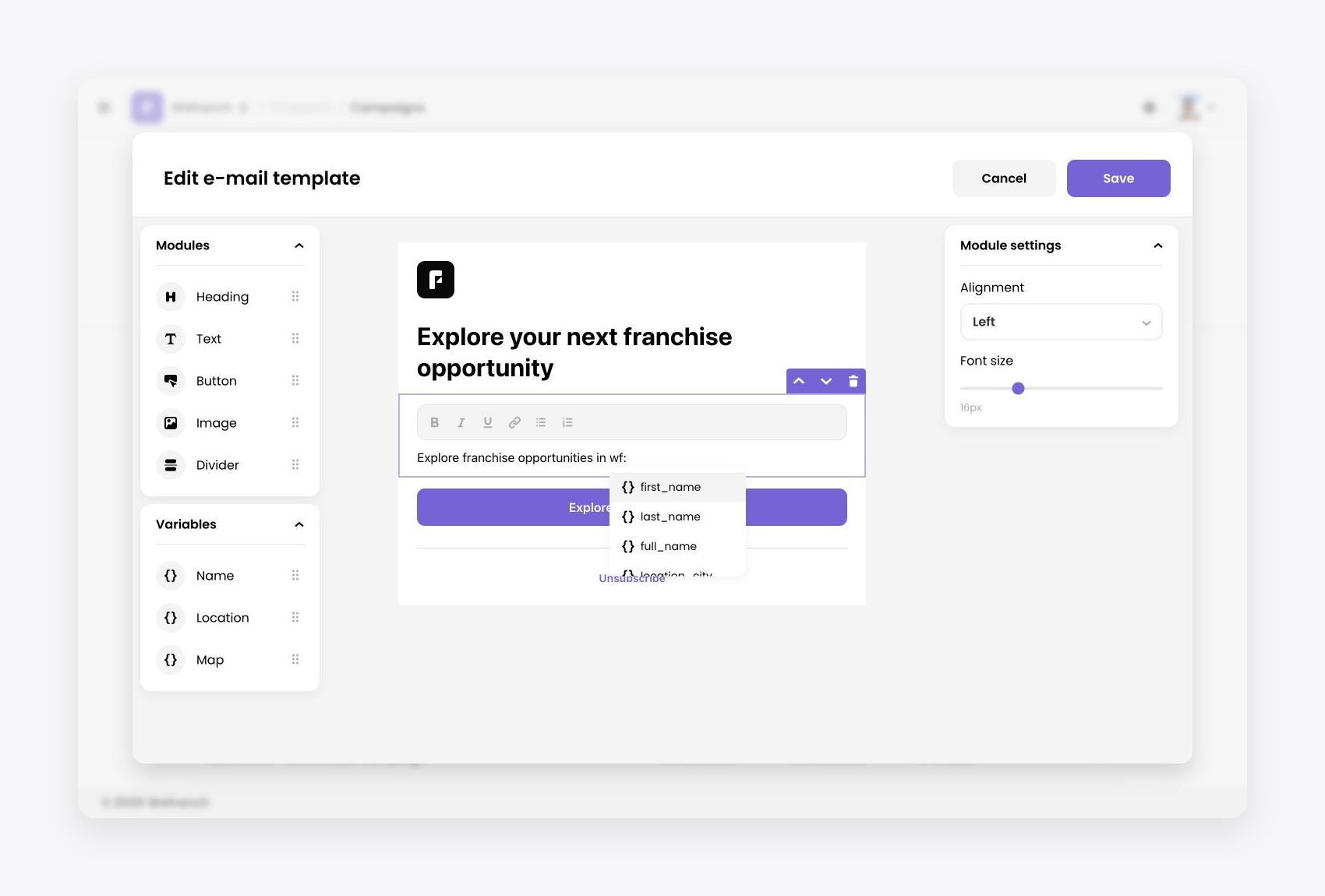 Type wf: to choose a variable
Click the inserted token to open Variable settings. Choose Type to change the detail it uses. Name starts as First name; Location starts as City. Click the token’s × to remove it.
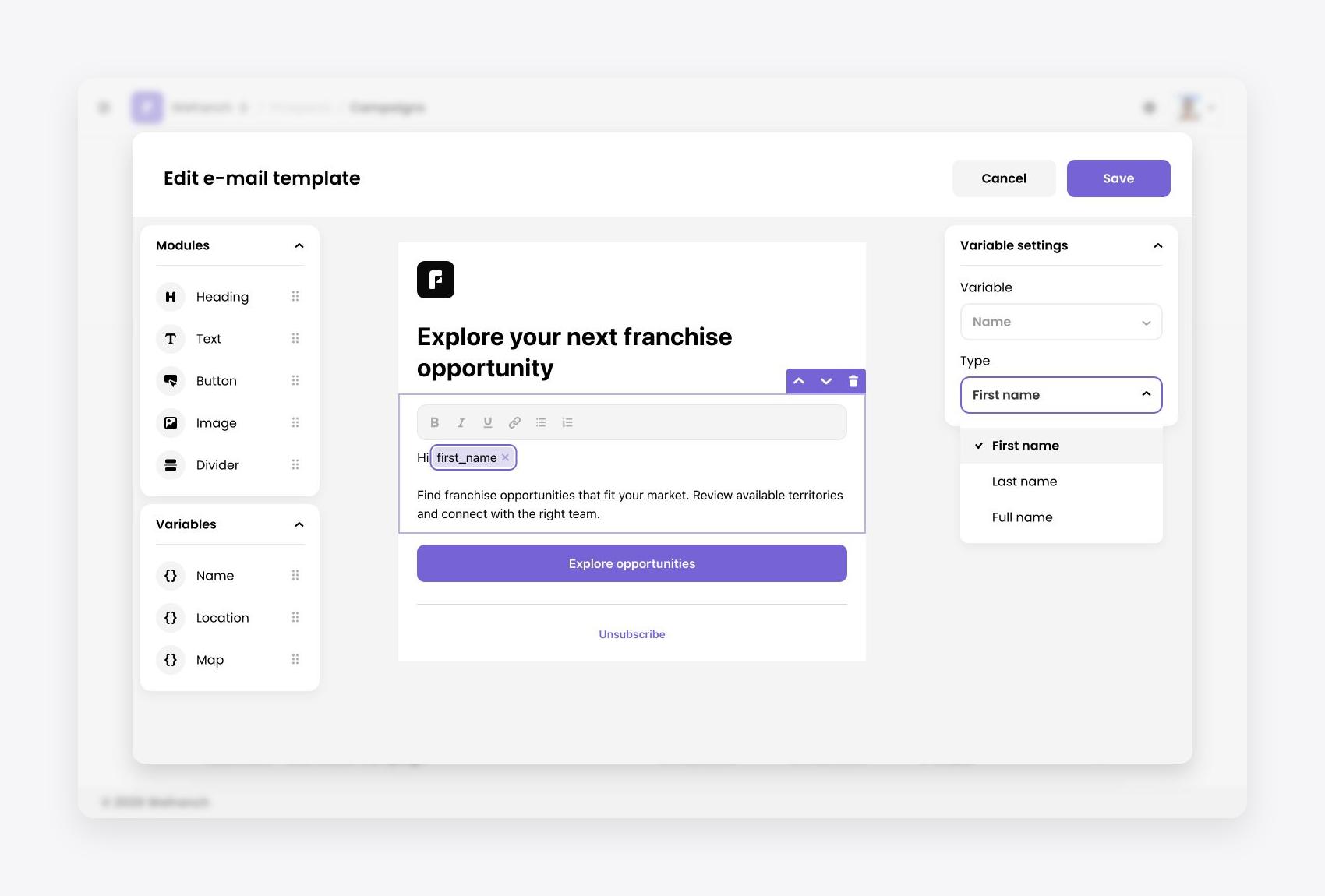 Choose a variable Type in the settings panel
Use variables in other fields
| Field | How to insert name or location variables |
|---|---|
| Subject line | Type wf: and choose a result. |
| Button Label | Select the button, then type wf: in Label and choose a result. |
| Preview text | Paste the complete code, such as {{{ wf:first_name }}}. This field has no wf: picker. |
These fields store the full code. Delete that code to remove the variable. You can also put complete codes in an HTML template before uploading.
Add a DMA map
Maps work in Text modules only. Drag Map into the message, or choose map_dma from the wf: list.
The large map_dma placeholder represents the recipient’s map. Select it to see Map → DMA map settings; use its top-right × to remove it. If the person’s location is unavailable, the map is removed.
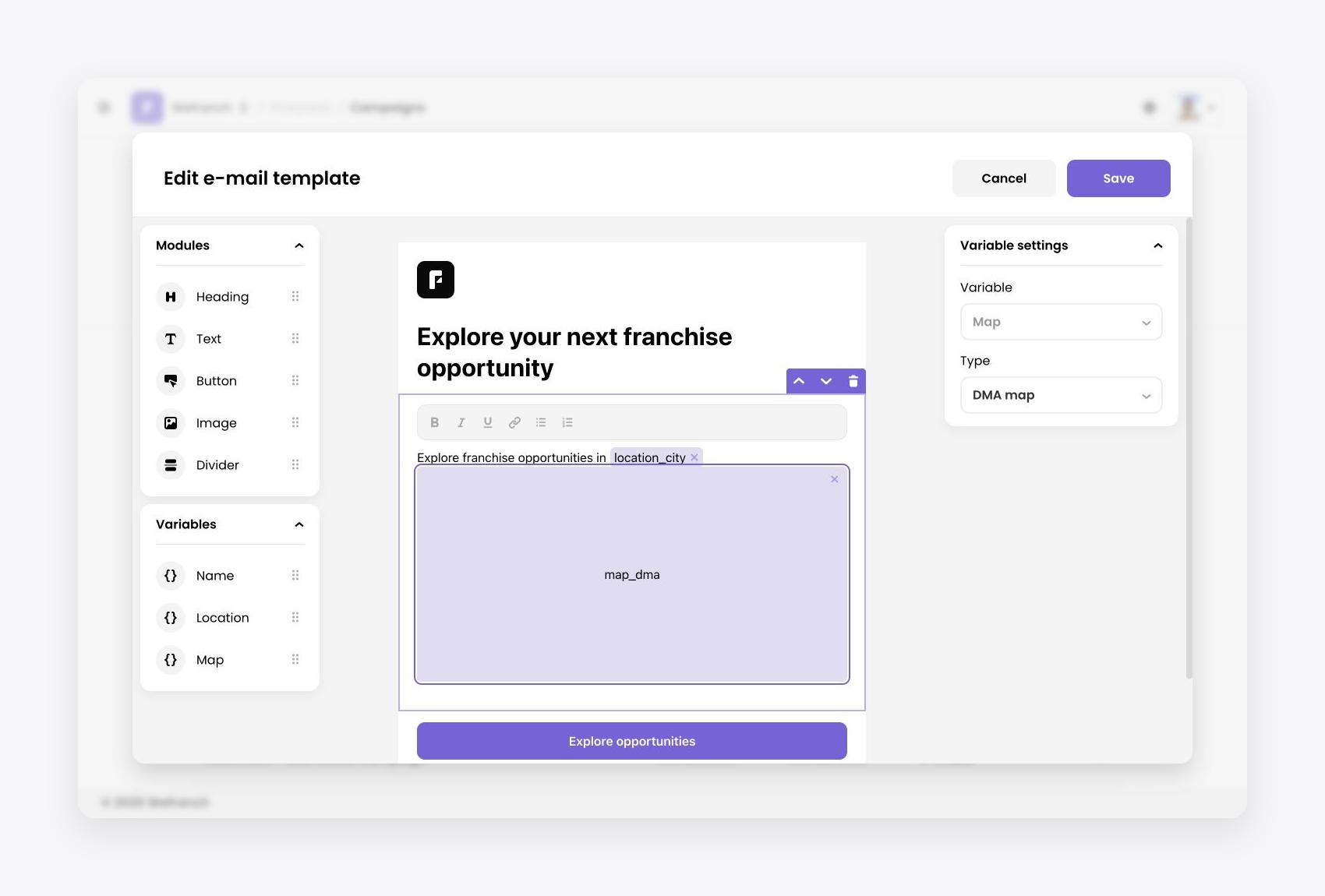 DMA map placeholder and its settings
Codes and fallback values
When a detail is missing, Wefranch uses the fallback below.
| Code | Detail | Fallback |
|---|---|---|
{{{ wf:first_name }}} |
First name | Empty value |
{{{ wf:last_name }}} |
Last name | Empty value |
{{{ wf:full_name }}} |
Full name | Empty value |
{{{ wf:location_city }}} |
City | “your city” |
{{{ wf:location_state }}} |
State | “your state” |
{{{ wf:location_country }}} |
Country | “your country” |
{{{ wf:location_dma }}} |
DMA | “your area” |
{{{ wf:map_dma }}} |
DMA map image | Map removed |
Check the result
Save the template, then check the preview on Design. Preview values are samples, not a particular recipient’s record. Read your wording with missing names and fallback values in mind, and send a test email from Review & Send before scheduling.
For support, email [email protected].