How to set up Your Domain in MUMBO Emailing Tool
Updated Oct 14, 2026
On Sender, open the email dropdown → click Add new sender.
- Enter Email address and Name. Click Next.
- If the domain is already trusted, the sender is saved as authenticated and the dialog closes. You’re done.
- Otherwise you land on Finish domain setup.
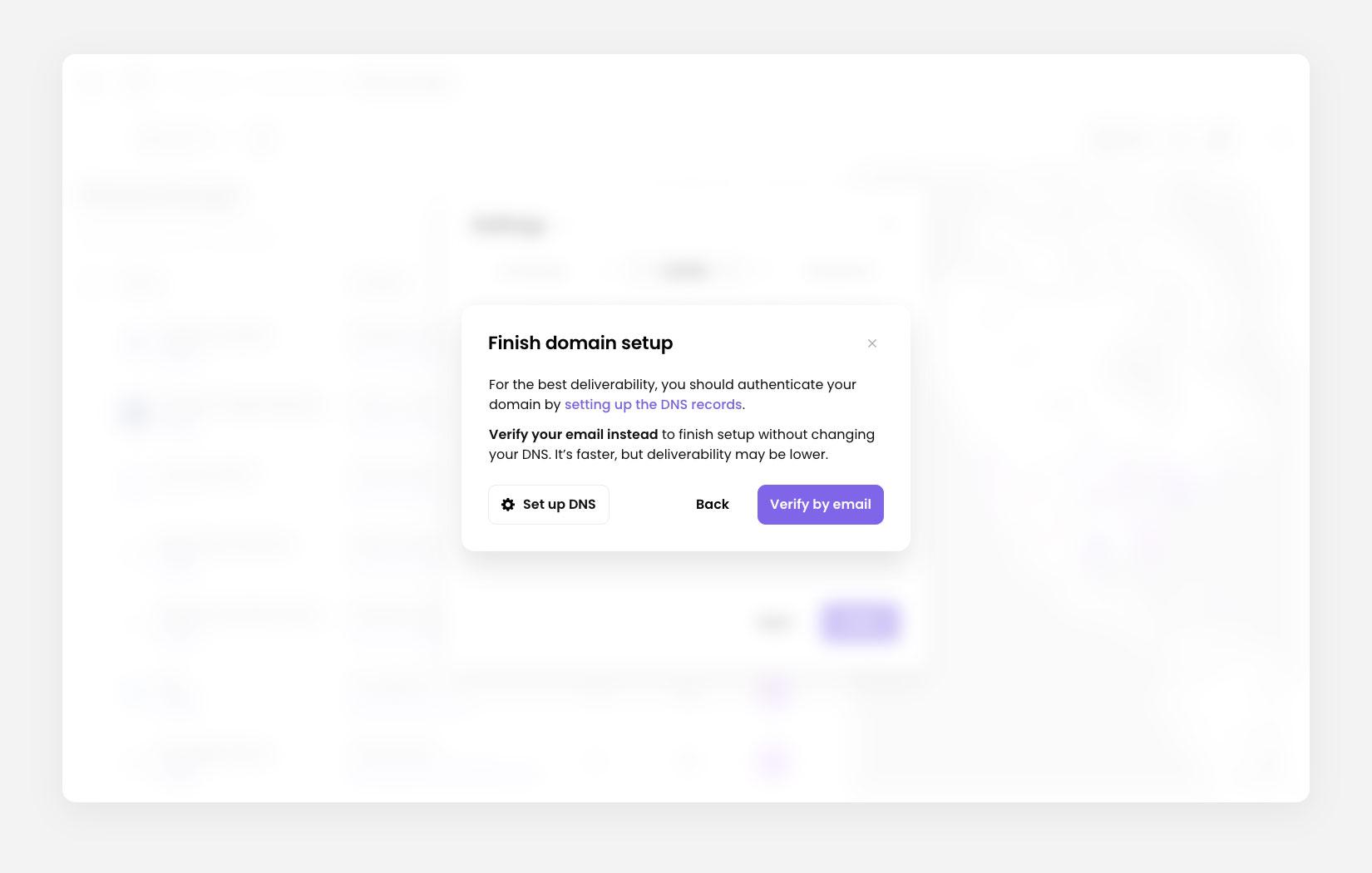 Modal: Finish domain setup
Authenticate the domain (DNS)
- On Finish domain setup, click Set up DNS.
- In the next step, we’ll generate DNS records for your email domain.
- Copy and paste the provided values into your domain’s DNS settings (such as GoDaddy.com ) and click Verify in the Update your DNS records modal.
- Back on the Sender step you’ll see: DNS verification in progress. DNS changes can take up to 24 hours to be verified.
- Click Review DNS setup at any time to reopen the setup screen and review the DNS records.
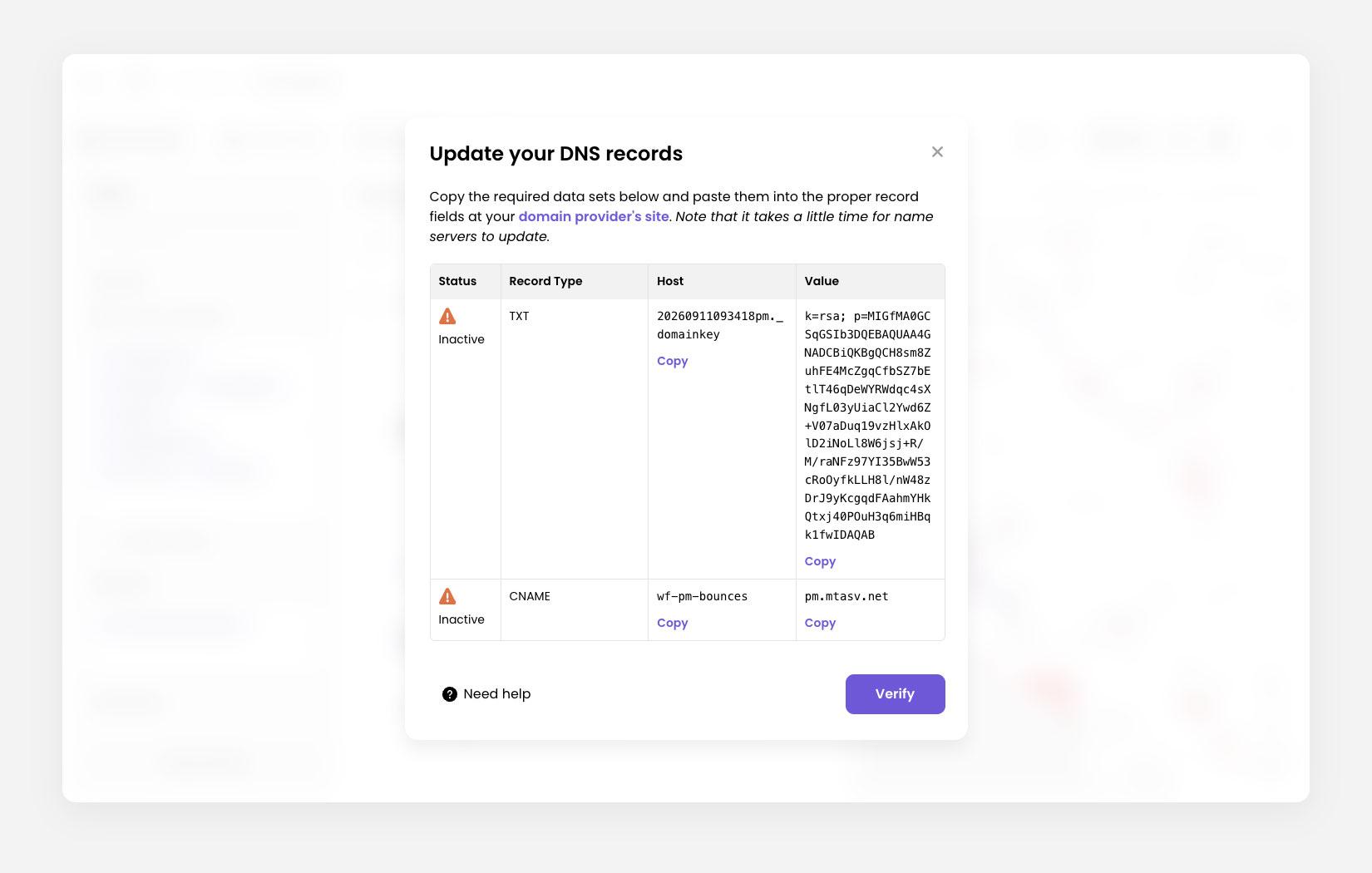 Modal: Update your DNS records
For support, please email [email protected]